Arduino Danger Shield — Learning PCB Redesign
Overview
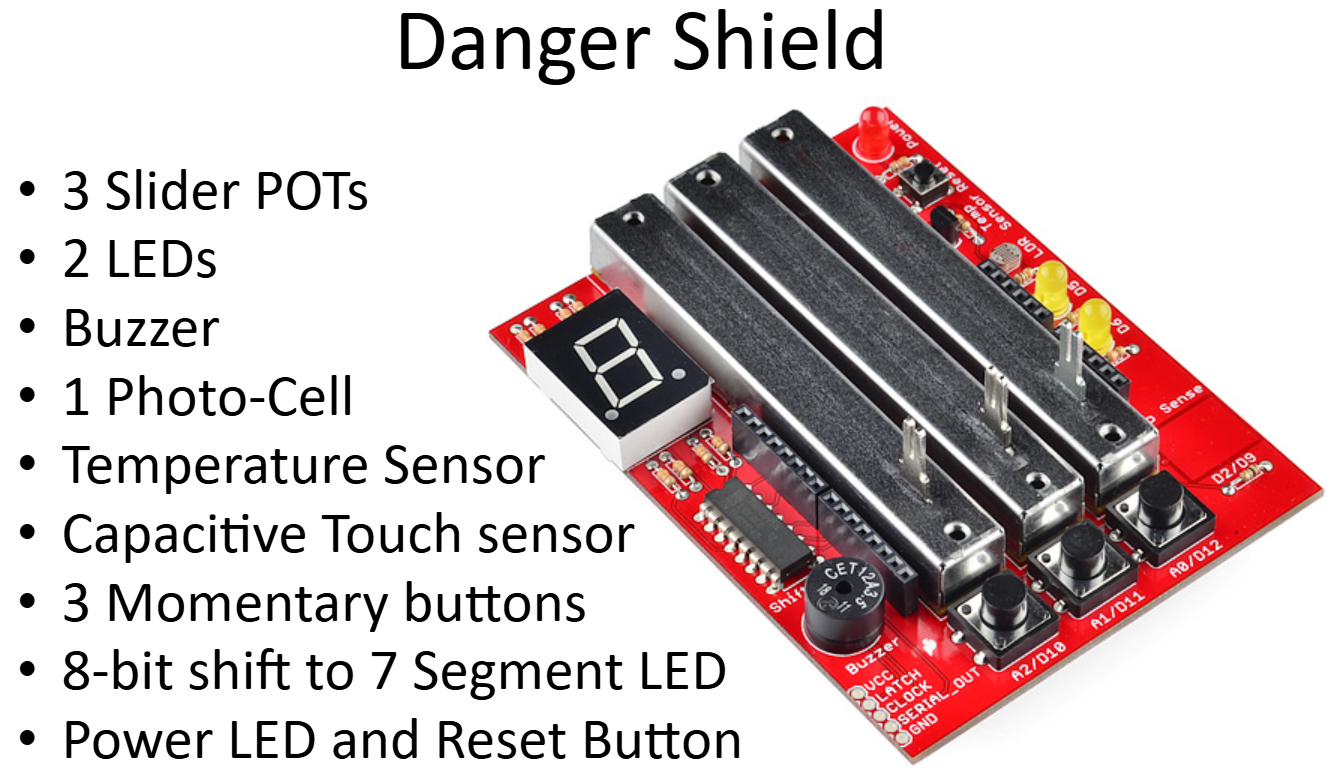
The SparkFun Danger Shield was a popular learning board that plugged directly onto an Arduino UNO, giving beginners a rich set of inputs and outputs to experiment with — all in one self-contained package. When SparkFun discontinued it, the team designed a replacement with improved features suited for classroom exercises.
The board was used as the hands-on component of an intro Arduino class, paired with a slide deck walking through each peripheral from first principles.
Shield Components
- 3 slider potentiometers (analog input)
- 2 LEDs (digital and PWM output)
- Piezo buzzer (tone output)
- Photocell / LDR (analog light sensing)
- Temperature sensor (analog, TMP36-style)
- Capacitive touch pad
- 3 momentary push buttons (digital input with internal pull-ups)
- 8-bit shift register driving a 7-segment LED display
- Power LED and reset button
Class Exercises
The accompanying class stepped through each component as a standalone exercise:
| Exercise | Concepts covered |
|---|---|
| Blink LEDs | digitalWrite, digitalRead, delay |
| Buttons | INPUT_PULLUP, active-low logic |
| Sliders | analogRead, 0–1023 range, sprintf |
| Fade LED | analogWrite (PWM), map() |
| Temperature | ADC-to-mV conversion, TMP36 offset math |
| Slider/Tone | tone(), noTone(), frequency mapping |
| Capacitive touch | CapacitiveSensor library |
| 7-Segment display | Shift register, SPI bit-banging, shiftOut |
| PANIC | Photocell baseline + threshold, while loops |
| Servo | Servo.h, write(), sweep (servo not included on shield) |
Files
Schematic and PCB files are in the GitHub repository.